
How Does AI Detect Unauthorized Access?
Unauthorized access to restricted areas can lead to safety incidents, security breaches, operational disruptions, and compliance violations. Traditional monitoring methods rely heavily on security personnel watching live camera feeds or reviewing recorded footage after an incident has occurred. This approach becomes increasingly difficult as facilities expand, camera networks grow, and operations continue around the clock.
AI-powered video analytics provides continuous monitoring by automatically identifying people, recognizing restricted zones, and generating alerts whenever unauthorized entry is detected. Instead of requiring someone to watch every camera, AI continuously analyses live footage and emphasises just the situations that deserve attention.
How the Detection Process Works
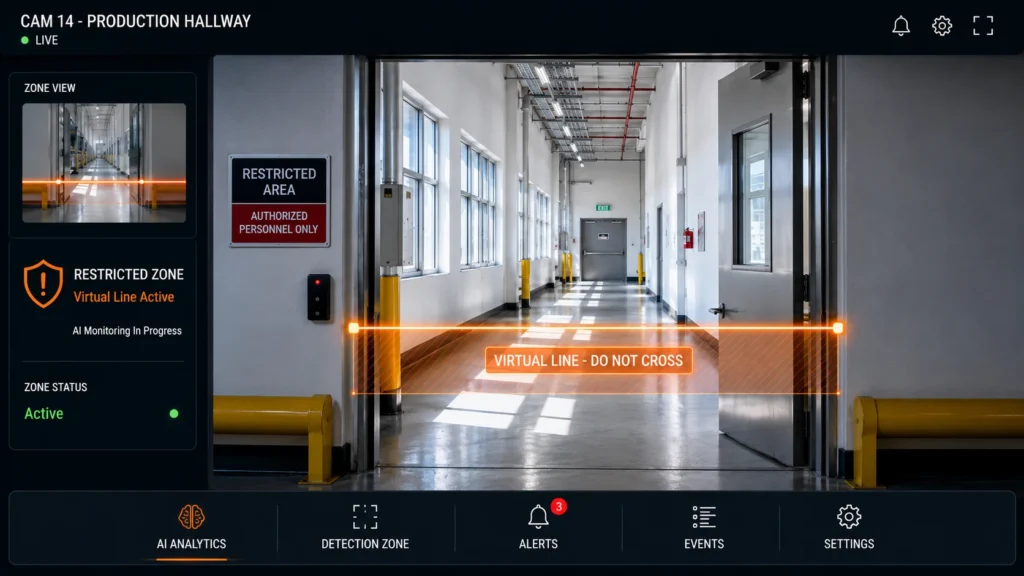
AI combines Computer Vision with predefined access rules to determine whether someone has entered an area where they are not permitted.
The detection process generally follows these steps:
Step | AI Activity |
Area Configuration | Restricted zones are defined within the monitoring software. |
Person Detection | AI identifies individuals entering the camera’s field of view. |
Movement Analysis | The system tracks movement relative to configured boundaries. |
Access Verification | AI compares the person’s location against the permitted access rules. |
Event Detection | Unauthorized entry is identified when predefined conditions are met. |
Alert Generation | Notifications are sent to security personnel or supervisors. |
This automated workflow enables continuous monitoring without constant human observation.
How Restricted Areas Are Defined
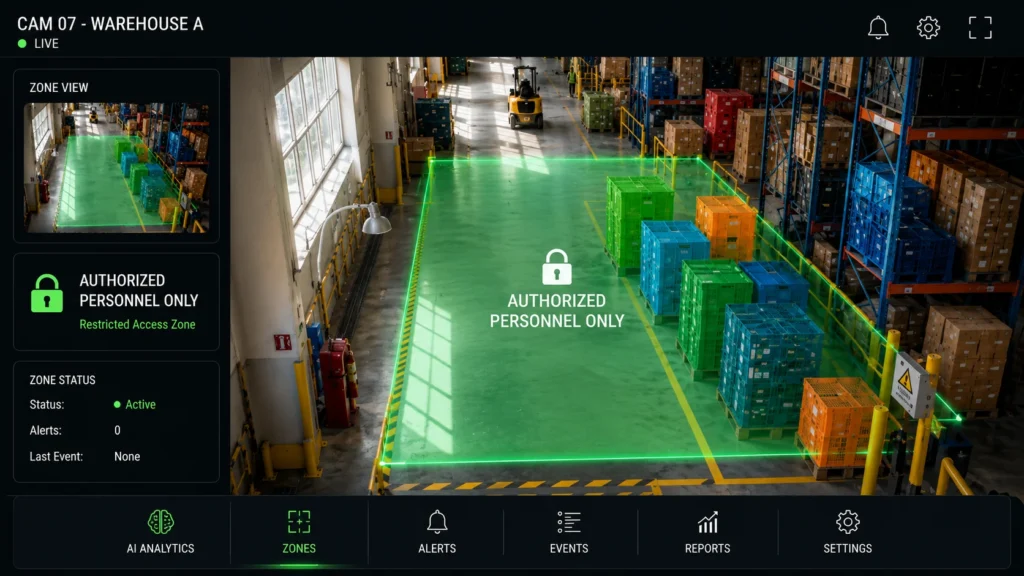
Before monitoring begins, organizations configure virtual zones that represent areas requiring controlled access.
These zones may include:
- Equipment operating areas.
- Production lines.
- Chemical storage rooms.
- Electrical control rooms.
- Server rooms.
- Loading docks.
- Hazardous work zones.
- Staff-only entrances.
- Inventory storage areas.
- Emergency exits.
The AI system continuously monitors these virtual boundaries and evaluates activity within them.
What Information AI Uses
AI does not simply detect motion. It evaluates multiple visual characteristics to determine whether an event matches the configured monitoring rules.
Examples include:
- Person detection.
- Object tracking.
- Movement direction.
- Time spent inside a restricted area.
- Entry and exit paths.
- Occupancy levels.
- Zone crossing events.
- Vehicle movement where applicable.
Combining these observations helps reduce unnecessary alerts and improves operational awareness.
What Happens After Unauthorized Access Is Detected?
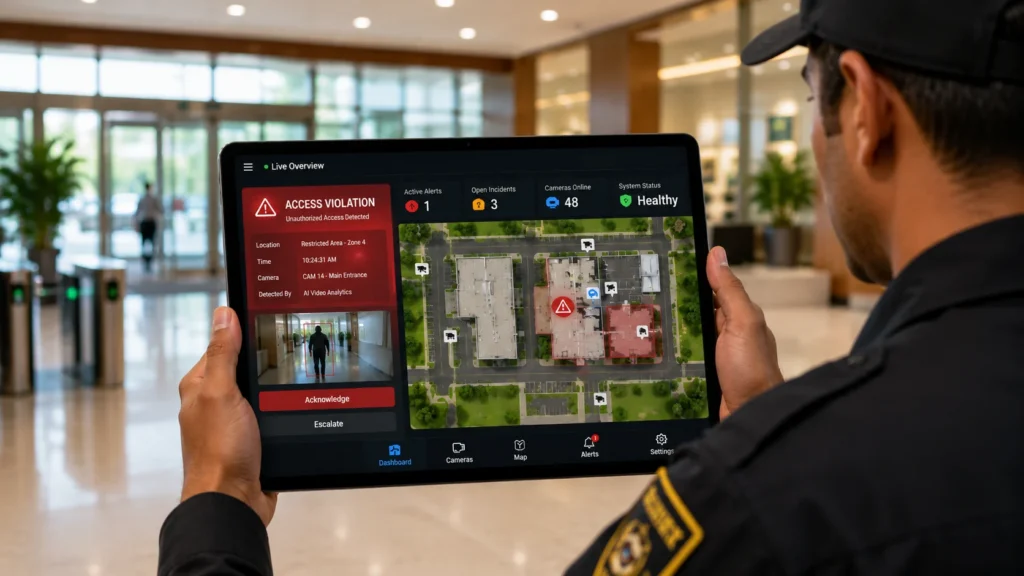
When AI detects an access violation, organizations can configure different response workflows depending on operational requirements.
Common responses include:
- Immediate notifications to security teams.
- Visual alerts on monitoring dashboards.
- Recording event snapshots.
- Logging timestamps and camera locations.
- Supporting incident investigations.
- Triggering additional operational workflows.
The response method can be adjusted to the organization’s existing security procedures.
Factors That Affect Detection Performance
A number of technical and environmental factors affect the accuracy of unauthorised access detection.
Factor | Importance |
Camera placement | Ensures complete visibility of restricted zones. |
Image quality | Supports accurate person detection. |
Lighting conditions | Improves recognition throughout the day. |
Zone configuration | Correct virtual boundaries reduce unnecessary alerts. |
Camera coverage | Eliminates blind spots around entrances and exits. |
AI rule configuration | Aligns monitoring with operational requirements. |
Careful system design helps maximize detection reliability.
Best Practices for Deployment
Organizations planning AI-based access monitoring should consider the following recommendations:
- Clearly identify all restricted areas.
- Position cameras to provide unobstructed coverage.
- Define virtual boundaries accurately.
- Configure alert priorities based on operational risk.
- Test the system under normal operating conditions.
- Review alert history to fine-tune monitoring rules.
- Integrate AI notifications with existing security procedures.
These steps help ensure consistent monitoring and effective incident response.
Improving Security Through Continuous Monitoring
Maintaining safe and secure operations requires prompt detection of unauthorised access. AI enhances traditional monitoring by continuously observing restricted areas, identifying potential access violations in real time, and providing immediate alerts that support faster response. When integrated with established security procedures, AI helps organizations improve operational visibility, strengthen facility protection, and reduce the burden of manual surveillance.
Frequently Asked Questions
Can AI distinguish between authorized and unauthorized personnel?
AI can detect entry into restricted areas based on configured rules. When integrated with access control or identity verification systems, it may also support more advanced authorization workflows.
Does AI monitor every camera continuously?
Yes. AI continuously analyzes video streams from configured cameras and evaluates activity according to predefined monitoring rules.
Can AI monitor outdoor restricted areas?
Yes. Outdoor areas can also be monitored, provided cameras offer suitable visibility and environmental conditions support reliable detection.
Can organizations customize restricted zones?
Yes. Virtual monitoring zones can typically be configured and updated to match changing facility layouts and operational requirements.
Does AI replace physical access control systems?
No, by offering ongoing visual monitoring and quicker identification of instances of unauthorised access, AI enhances current security procedures.